Loading...

Professional Trading Indicator

See the signal, make your move, control is yours

ScalpKing Pro combines the algorithmic power of 15 popular technical indicators into a single signal. Designed for traders who demand real-time accuracy, clarity, and control.



Unconditional refund guarantee within 7 days
CoinPayments Secure Payment

Data Privacy Guarantee

Strategic Superiority

TradingView Verified

VISUALS

Scalpking Pro Interface

Explore the powerful and user-friendly interface of our indicator on TradingView.

ETH/USDT.P 4h Performance
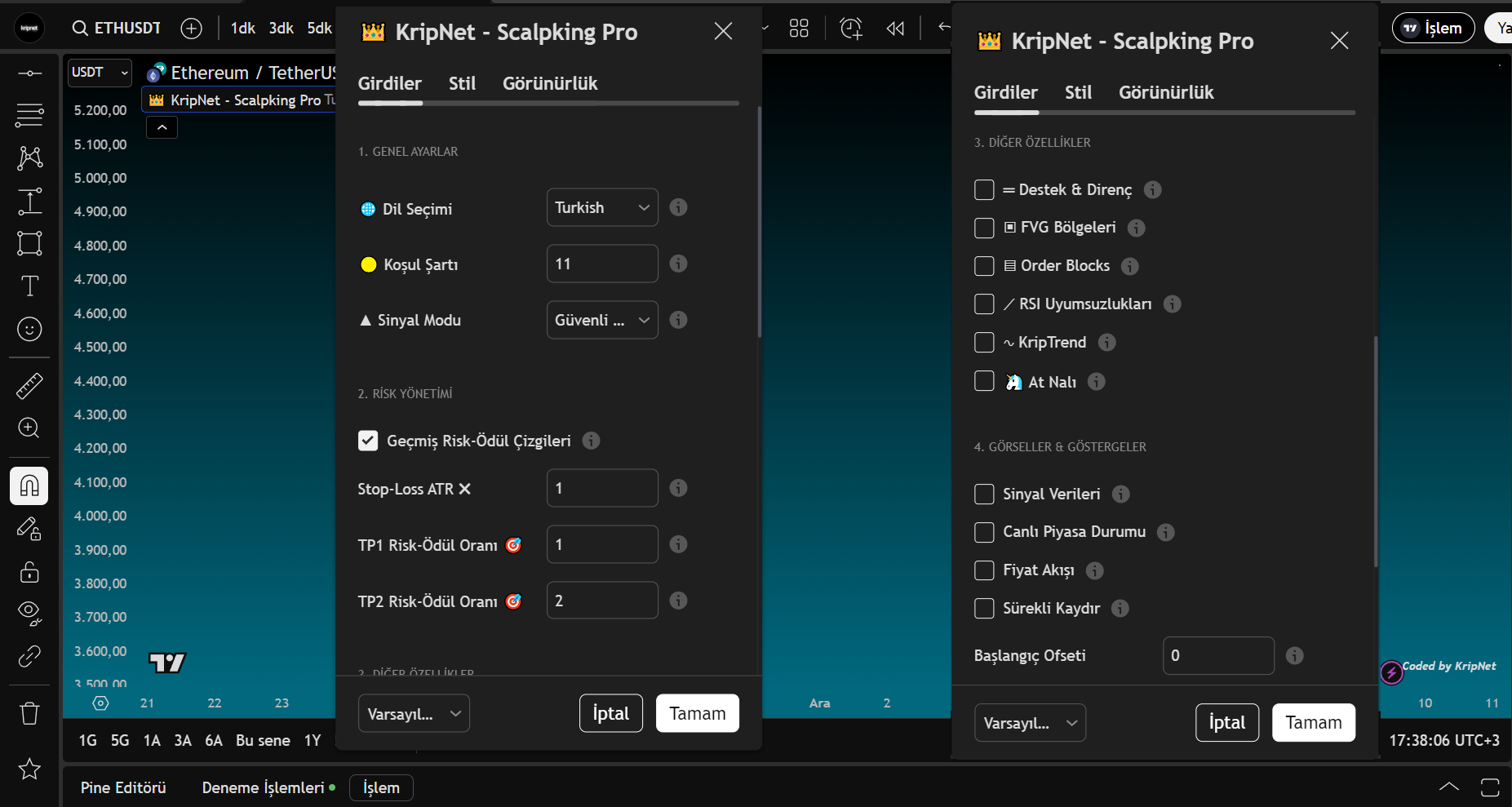
Indicator Input View
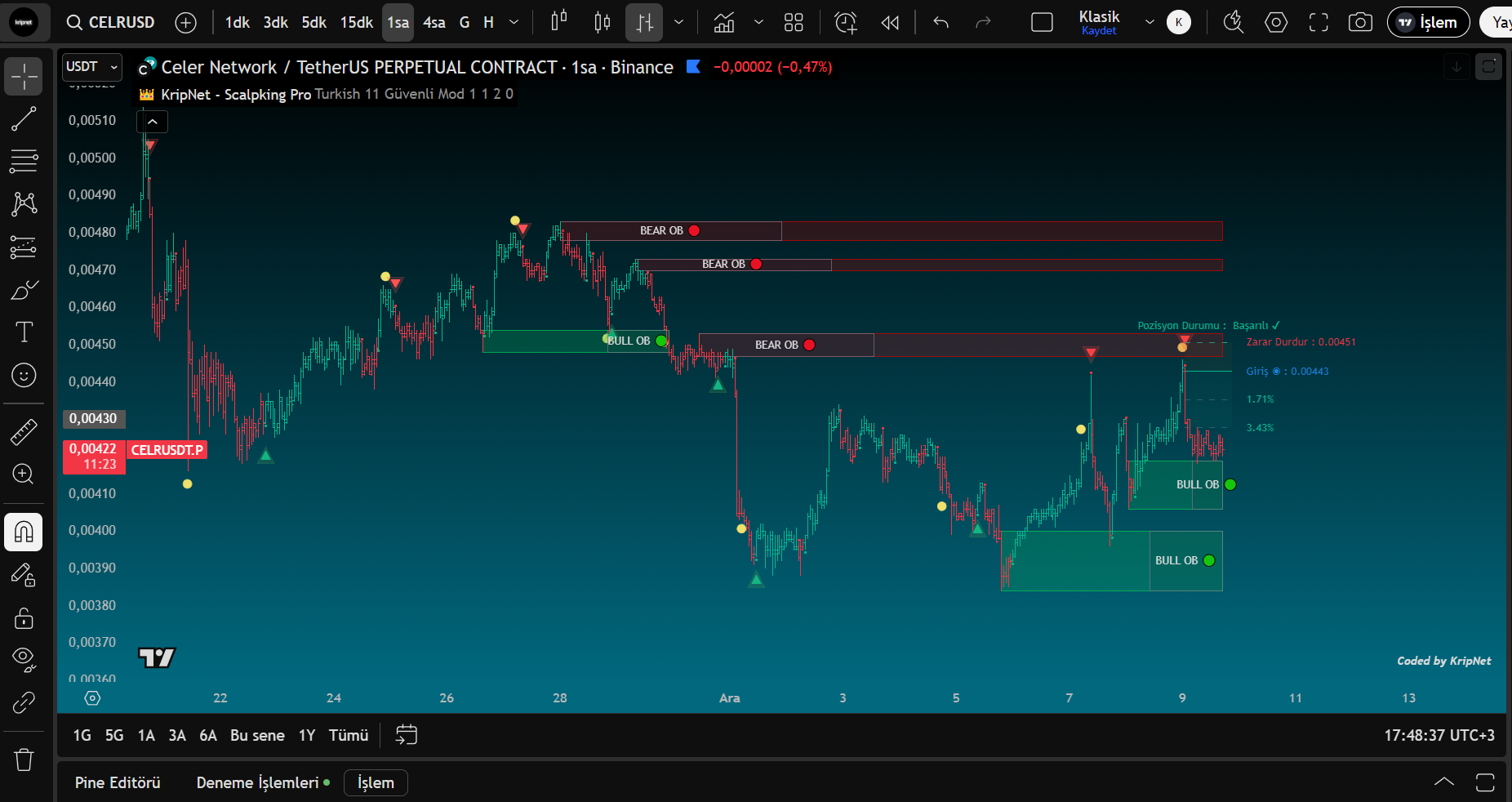
Order Blocks
Order Blocks
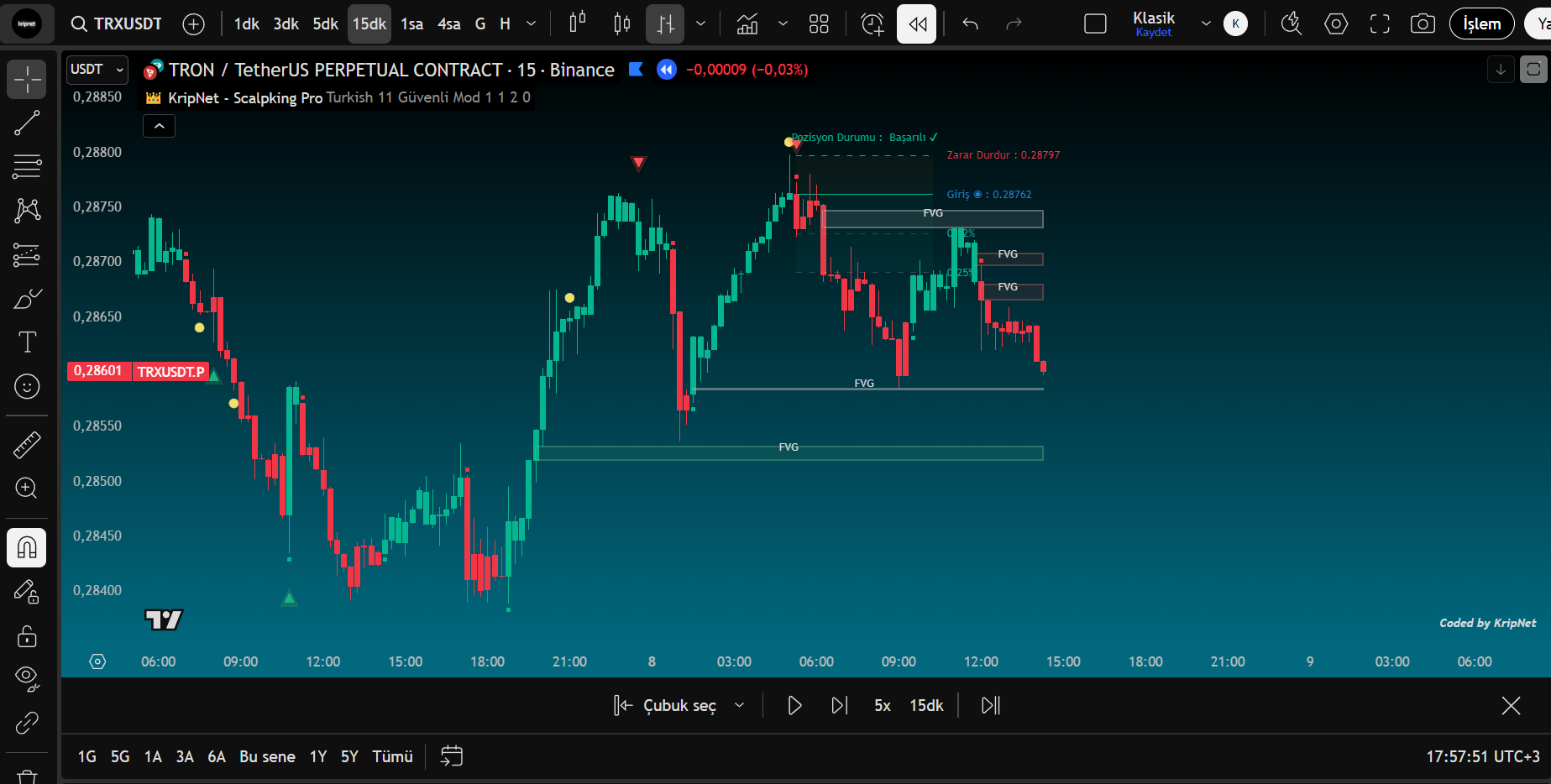
FVG View
FVG View
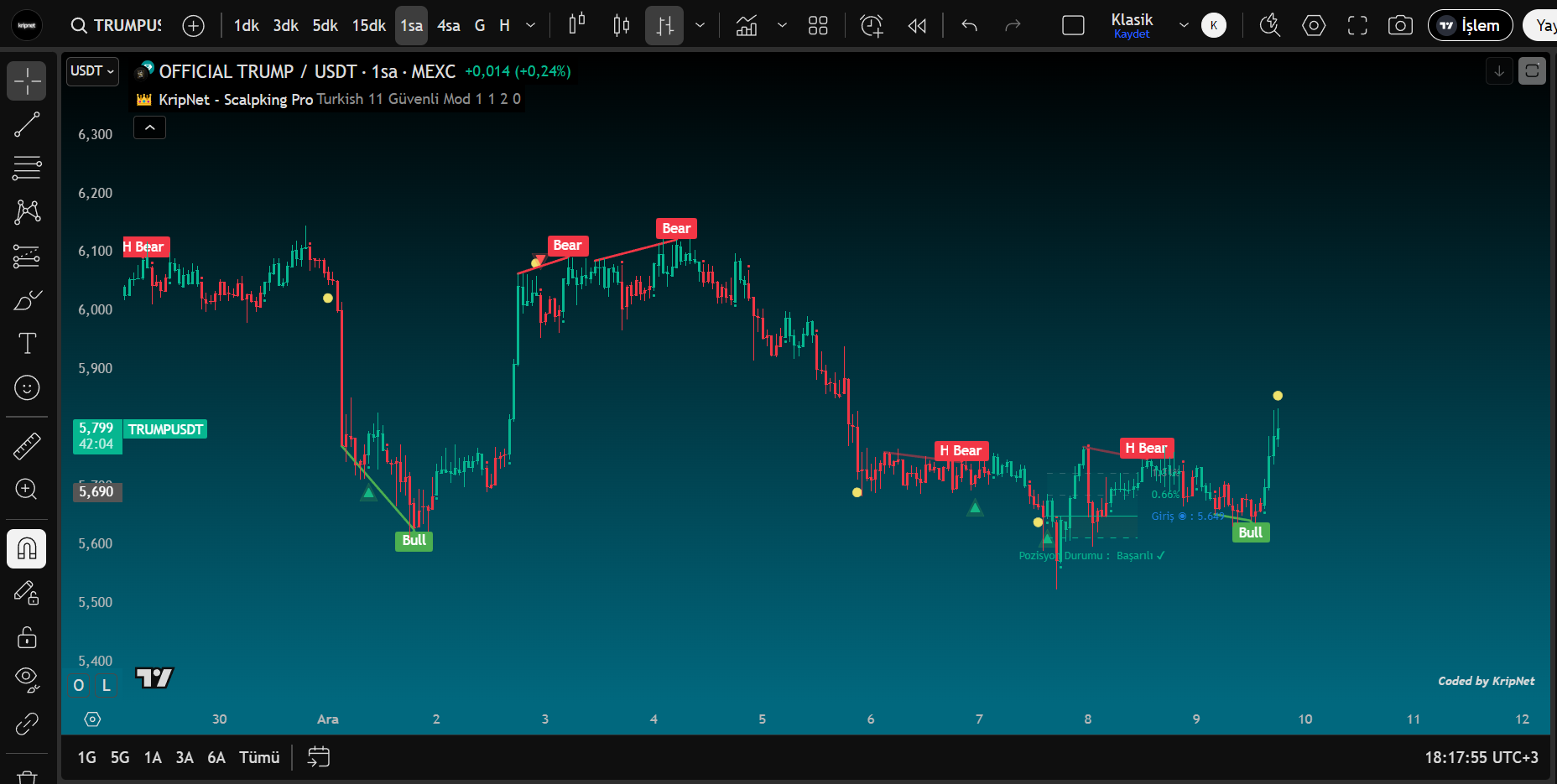
RSI Divergences
RSI Divergences
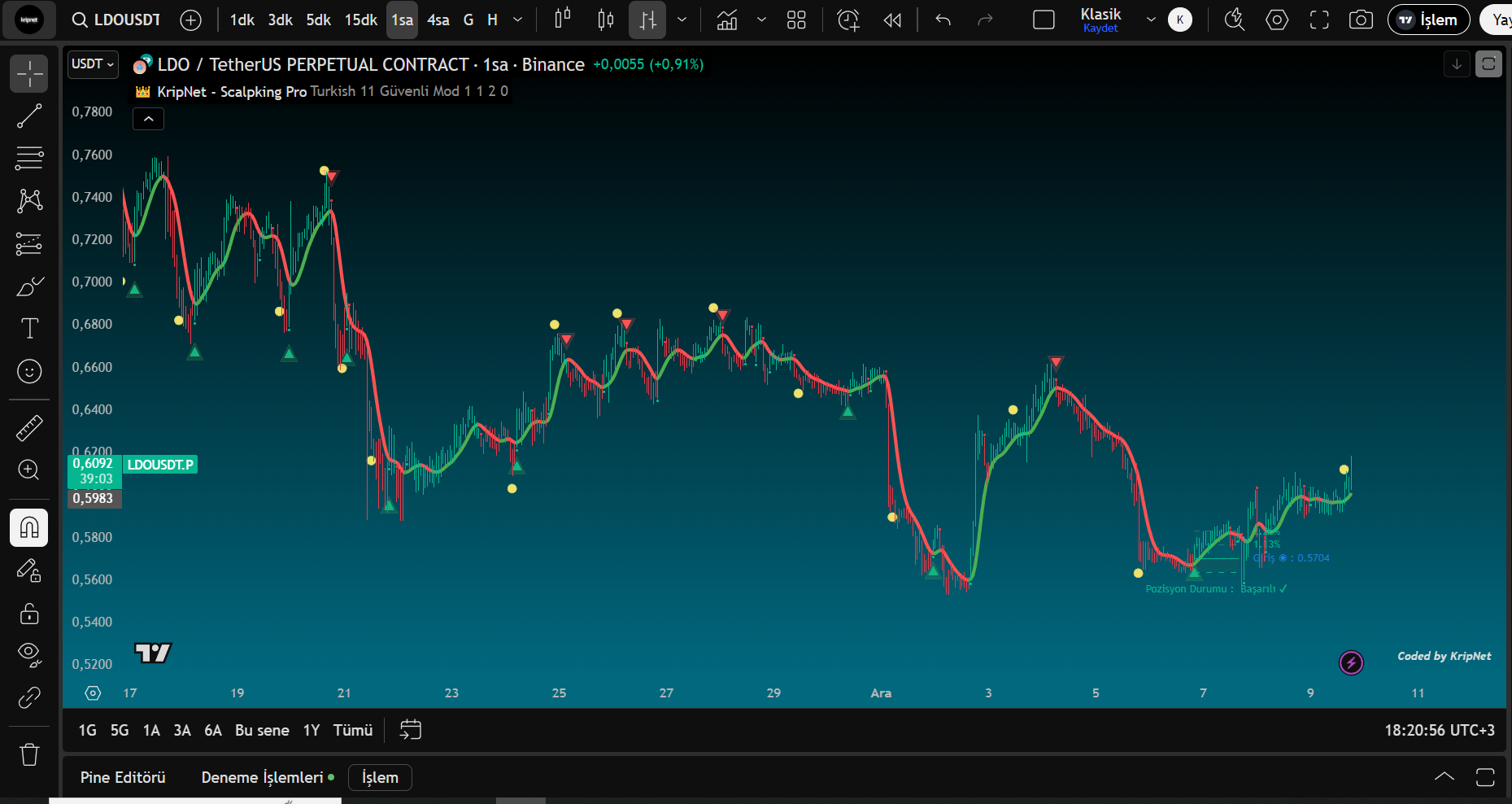
KripTrend
KripTrend
Why Scalpking Pro?

Filter Market Noise, Hear Only the Signal

Scalpking Pro simplifies complex analyses, enabling more disciplined and decisive trading.

Smart Algorithm

Analyzes 15 different technical indicators synchronously and delivers only high-probability signals.

Integrated Risk Management

Manages your risk automatically with ATR-based stop-loss and multiple take-profit levels.

Multi-Language Support

Interface and descriptions in 17 different languages including Turkish. Appeals to users worldwide.

Performance Indicators

Updated in real-time
182+
Active Users
87.3%
Success Rate
17
Language Support
7/24
Support
HIGHLIGHTS

Powerful Features

Scalpking Pro provides all the tools you need for your scalping, day trade, and swing trading strategies.

Preparation Condition Requirements

Smart structure composed of 11 special indicators highlights signals only under conditions validated with optimized settings.

Dynamic Trend System

Smart structure with 4 special indicators designed to capture trend reversals, works synchronously when conditions are met; independently otherwise.

Extra Analysis Tools

Includes professional tools like support/resistance levels, FVG, Order Blocks, and RSI divergence.

Mobile Notifications

Don't miss signals with customizable alerts. Mobile and email notifications.

Customizable Settings

Customize stop-loss and take-profit levels according to your risk preferences.

Fast & Optimized

Runs with low latency and does not slow down the TradingView platform.

GUIDE

Setup and Usage

Start using KripNet - Scalpking Pro in a few simple steps.

1

Log in to TradingView

Log into your TradingView account and open any pair chart (e.g., BTC/USDT).

2

Add the Indicator

From the "Indicators" > "Invite-only" section on the chart, add the KripNet – Scalpking Pro indicator.

3

Customize Settings

Adjust risk management parameters according to your personal preferences. You can select Turkish from the language option.

4

Set Up Alerts

Right-click on the indicator and click "Add Alert". Select which signals you want to receive alerts for.

5

Wait for Signals and Trade

Follow the indicator's yellow condition signals and the subsequent green/red triangle signals.

PRICING

Affordable Subscription Plans

Choose the subscription plan that best suits your needs and start your professional trading experience.

STARTER

Perfect opportunity to explore without risk

$19.90 /7 Days
  • KripNetwork
  • 7 days days full access
  • Smart Signal Confirmation System
  • Dynamic Trend System
  • Integrated Risk Management
  • Advanced Analysis Tools
  • Multi-Language Support
  • Alert Feature
Buy Now

TRADER

Professional solution for serious investors and active traders

$69.90 $49.90 /month
  • KripNetwork
  • 30 days days full access
  • Smart Signal Confirmation System
  • Dynamic Trend System
  • Integrated Risk Management
  • Advanced Analysis Tools
  • Multi-Language Support
  • Alert Feature
Buy Now

Try Scalpking Pro Now

You can try the indicator for free by typing "KripNet - Scalpking Pro" in the TradingView search box.

Start Now